

Słowo wstępu Aktualizacja tego komponentu (oraz innych) była wymagana przed aktualizacją vCloud Directora z wersji 9.7.0.3 do 10.0. Jestem tego świadomy że wersja ta posiada jeszcze swoje wady ale tą wersje na tą chwile implementowałem w środowisku testowym. Zanim jeszcze o samym procesie może warto wspomnieć czym jest ten komponent vRealize Operations Tenant APP w […]

Wstęp Zrobiłem rozpoznanie dokumentacji i powszechnych dostępnie zasobów w sieci i nie znalazłem konkretnej informacji jak powinien wyglądać dokładnie proces powiększania już istniejącego klastra HA. Zakładam iż wiesz jakie są wady i zalety rozwiązania HA w vROPSie. W zależności od Twojej potrzeby biznesowej i ważności tego rozwiązania sam musisz ocenić czy potrzebujesz mieć taki klaster […]

During login to vSphere Web Client 5.5 we have this situation ( only vmware logo or initializing info… ): In vCenter Appliance portal: https://vcenter:5480

Example: net use s: \\server\share$ /USER:MyUser@MyDomain.net MyPassword c:\windows\EXPLORER.EXE /n, /e, S:\_public\folder
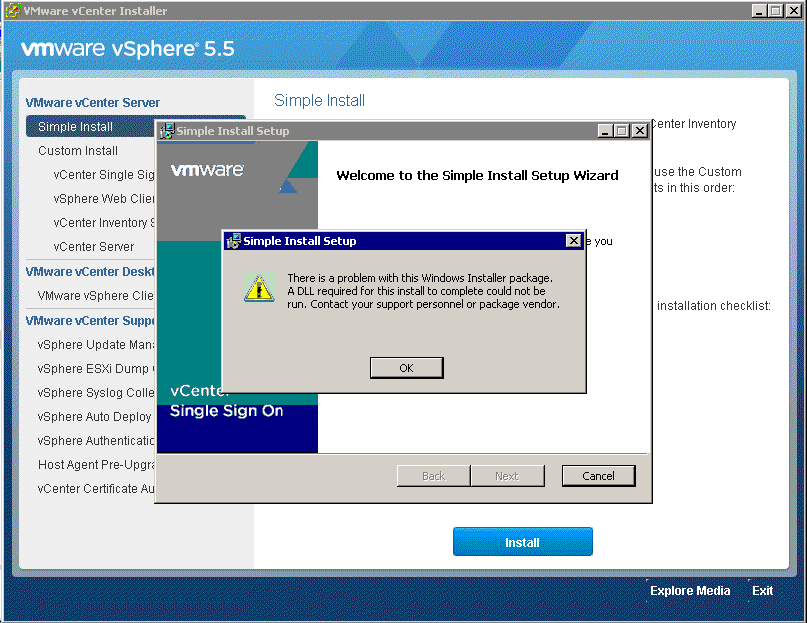
Symptom: “There is a problem with This Windows Installer package,A DLL required for install to complete could not be run….” Resolution: Install Visual C++ Redistributable package from “DVD location”:\Single Sign-On\prerequisites\vcredist_x64.exe

I tested this on: DELL PowerEdge R730 DELL PERC H730 Mini (Embedded) iDRAC 8 – Integrated Dell Remote Access Controller Version 2.15.10.10 (Build 08) ESXi 5.5 u3 Part 1 – Gathering naa. numbers related from physical disks from ESXi console and iDRAC console: On host where we use VSAN namespace: On host without VSAN namespace Commands […]
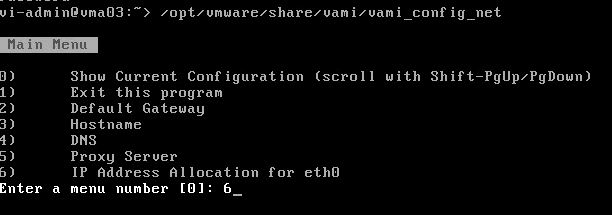
Sometimes when you want change something in configuration after first boot you can using special console: Command to use: /opt/vmware/share/vami/vami_config_net

If during adding vCenter Appliance 5.5 server to domain you received error: Error: Invalid hostname. FQDN is required for joining a domain. Check if you dont have hostname without domain name: Fix it and save settings: Try again add to domain: Done.

ESXCLI command to create a standard vSwitch named vSwitch3 that has 128 accessible ports. esxcli network vswitch standard add -v vSwitch3 -P 128 ESXCLI command to attach vmnic3 as an uplink to vSwitch3. esxcli network vswitch standard uplink add -v vSwitch3 -u vmnic2 ESXCLI commands to create two port groups named Prod-201 and Prod-202 on vSwitch3. esxcli […]
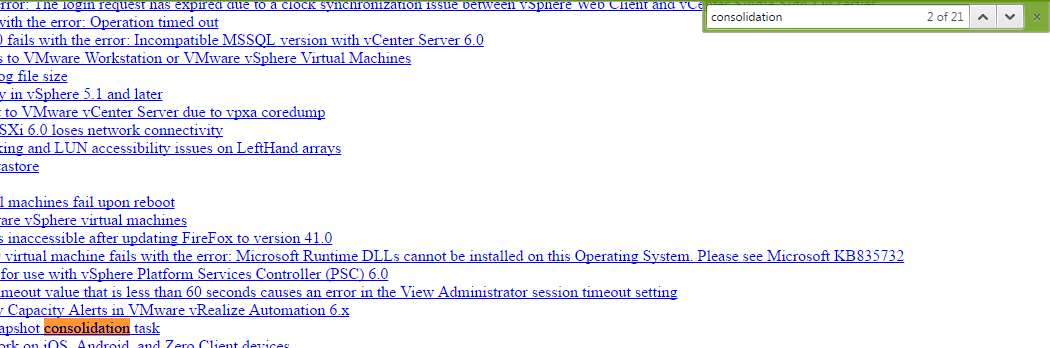
Sometimes helpful when we looking some VMware KB by word. For example “consolidation” Link: https://kb.vmware.com/selfservice/google/searchpage.jsp If you don’t like always you can use https://kb.vmware.com or Google 🙂
